





































Depositing at AUDPlay is built around how Aussie players actually bank — locally, in AUD, without unnecessary steps or hidden fees. Whether you’re using PayID for an instant transfer, POLi for a direct bank payment, or a standard bank transfer, the entire process runs through familiar Australian banking infrastructure that most players already use daily.
This guide covers every deposit method available at AUDPlay, how to use each one, what to expect in terms of processing times, and what to do if something doesn’t go through as expected.
Before initiating your first deposit at AUDPlay, make sure the following are in order:
Before making your first deposit, you may also want to check Everything You Need to Know About AUDPlay’s Welcome Bonus to maximise the value of your initial funding. The name-match requirement is worth repeating. AUDPlay processes all transactions against the account name on file. Deposits from a bank account under a different name can be flagged and delayed during processing. If your details need correcting, sort that through AUDPlay support before making your first deposit.
AUDPlay supports three deposit methods, all processed in Australian dollars with no currency conversion and no transaction fees charged by the platform. If you want a deeper comparison between available payment methods, read our full guide on PayID pokies Australia and instant deposit options to understand which method suits your play style best.
| Payment Method | Processing Time | Minimum Deposit | Transaction Fees |
| PayID | Instant | TBC | None |
| POLi | Instant – 5 minutes | TBC | None |
| Direct Bank Transfer | 1 – 24 hours | TBC | None |
All three methods connect directly to your Australian bank account. No credit cards, no third-party e-wallets, no overseas payment processors. What you send from your bank is what arrives in your AUDPlay wallet, in full.

PayID is the recommended deposit method at AUDPlay for players who want funds available immediately. It operates through Australia’s New Payments Platform (NPP), which processes transfers between participating banks in real time, around the clock including weekends and public holidays.
How to deposit via PayID at AUDPlay:
PayID is supported by all major Australian banks including Commonwealth Bank, ANZ, NAB, and Westpac, as well as most smaller banks and credit unions on the NPP network. If your bank supports Osko payments, PayID will work.
Important: Always use the payment reference provided. Transfers received without a matching reference require manual reconciliation by the AUDPlay payments team, which adds processing time.
POLi is a real-time bank payment method that connects directly to your online banking during checkout. It does not require a card, a separate e-wallet account, or any pre-registration. The payment is initiated directly from your bank account through a secure redirect.
How to deposit via POLi at AUDPlay:
POLi payments typically reflect in your AUDPlay wallet within a few minutes of confirmation. The method is supported by most major Australian banks. If your bank is not listed in the POLi interface, use PayID or direct bank transfer instead.
Direct bank transfer is available for players whose bank doesn’t support PayID or POLi, or who prefer the familiarity of a standard BSB and account number transfer. Processing time is longer than the real-time methods — typically between one and 24 hours depending on when the transfer is initiated and which bank you’re using.
How to deposit via bank transfer at AUDPlay:
Bank transfers initiated outside standard banking hours or on weekends may take slightly longer to process due to interbank settlement windows. If your deposit hasn’t appeared within 24 hours, contact the AUDPlay support team with your transfer receipt and they can track it manually.
When you submit a deposit at AUDPlay, the platform sends a confirmation to the mobile number registered on your account via SMS. This notification confirms that our casino has received and matched your payment to your account.
When you submit your information, AUDPlay will send you a special code via SMS to the mobile number you provided. Just tap “Get Code”, then check your messages for the code and enter the numbers in the verification field to complete the process.
This process is usually quick, taking less than 30 seconds. The main purpose of the SMS code is to verify that the mobile number is actually yours. It helps prevent people from creating multiple accounts with the same number. Plus, it gives your account a basic level of security right from the start.
If you’re having some trouble getting the code to come through, first double-check that the mobile number you entered is correct. If it is, but you’re still not getting the code, don’t worry — you can reach out to the support team and they can help you out. They can verify your number manually, either through live chat or WhatsApp, and it should only take a few minutes to sort out.
AUDPlay gives every player the option to set a deposit limit on their account — daily, weekly, or monthly. Once a limit is set, no further deposits are accepted beyond that cap until the period resets.
Deposit limits are managed from the Responsible Gambling section in your account settings. Reductions take effect immediately. Increases require a cooling-off period before they activate, which prevents impulsive limit changes during a session.
If you’d like to set or adjust a deposit limit, you can do it directly in your account settings or contact the support team through live chat and they’ll action it for you on the spot.
Deposit not appearing in wallet after PayID transfer Check that you included the correct payment reference. Transfers without a matching reference require manual reconciliation. Contact support with your bank’s transaction confirmation and the team can match it to your account.
POLi payment failed or redirected incorrectly This occasionally happens when browser pop-up blocking interferes with the POLi redirect. Disable pop-up blocking for the site and try again. If the issue persists, switch to PayID or bank transfer for that session.
Bank transfer not credited after 24 hours Transfers initiated on Friday afternoons or public holidays can take longer due to interbank settlement schedules. If 24 hours have passed on a standard banking day and your deposit hasn’t appeared, contact support with your transfer receipt.
Deposit declined at bank end Some Australian banks have online gambling merchant restrictions that can block transfers to gaming platforms. If your bank declines the transaction, contact your bank directly to check whether gambling-related payments are restricted on your account.
We accepts PayID, POLi, and direct bank transfer. All three methods process in Australian dollars with no transaction fees charged by AUDPlay. PayID is the fastest option, with deposits typically reflecting instantly in your wallet.
PayID deposits are processed through Australia’s real-time payments network and typically appear in your wallet within seconds of the transfer being confirmed from your banking app, regardless of time of day.
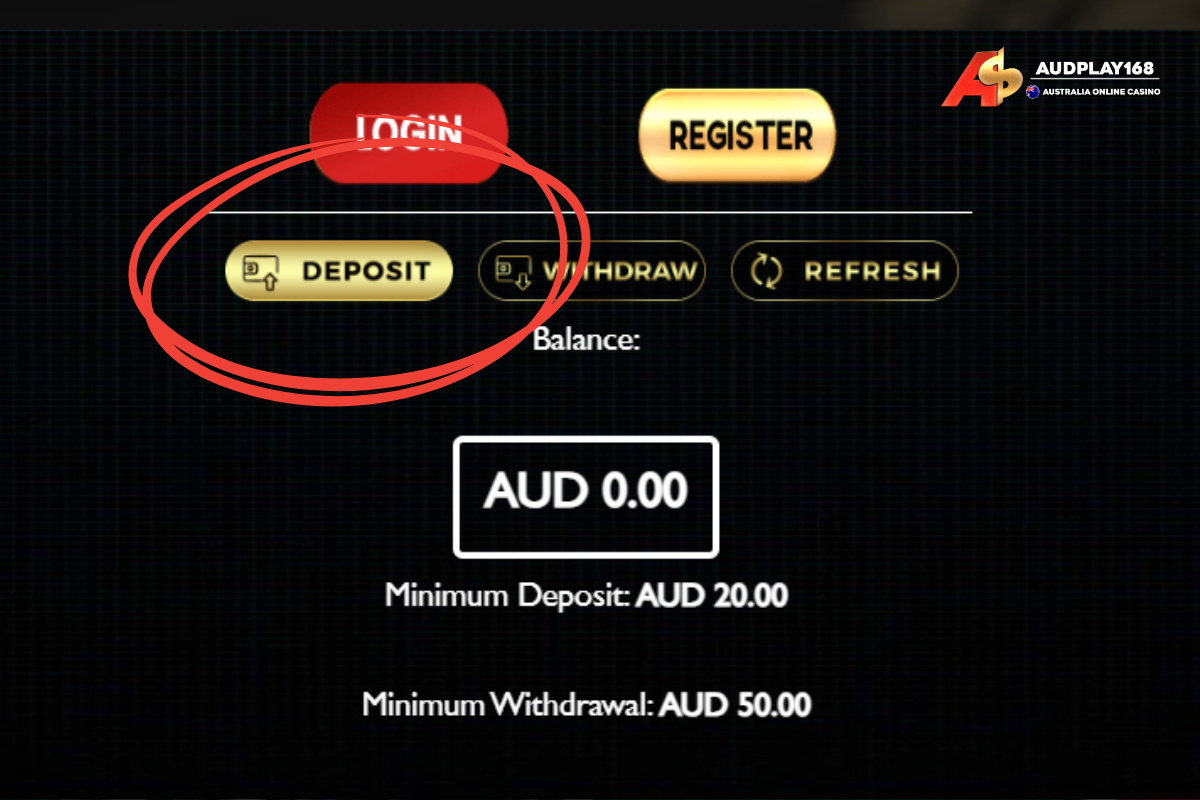
Minimum deposit amounts vary by payment method and are displayed in the Wallet section when you select your preferred method. Always check the current minimums before initiating a transfer.
The platform does not charge transaction fees on any deposit method. The amount you transfer from your bank is the amount that appears in your wallet. Your bank may have its own transfer fees depending on your account type — check with your bank if you’re unsure.
First, confirm you included the correct payment reference in your transfer. If the reference was correct and the deposit still hasn’t appeared after the expected processing window, contact the support team via live chat or WhatsApp with your bank transaction receipt.